Minecraft Education Preview
MojangEducation
3.7377.00 Reviews
- Version
- 1.26.30.0
- Installs
- 10.00M
- Age Rating
- Everyone 10+
Screenshots
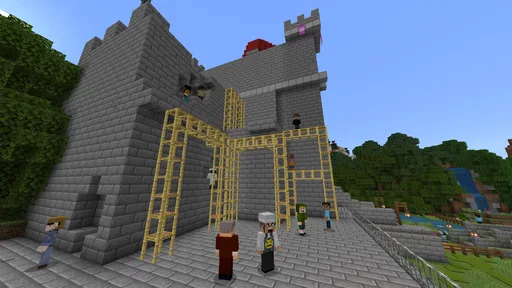
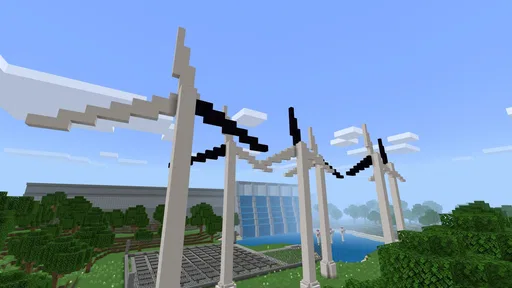
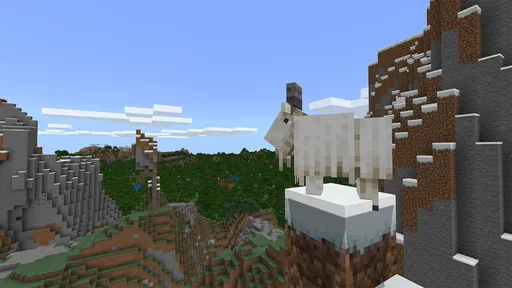
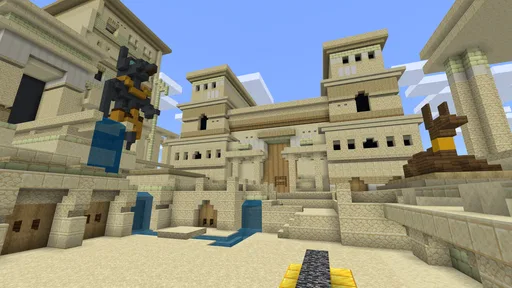
Our Review of Minecraft Education Preview
 Analysis by Appyee
I approached Minecraft Education Preview as more than a familiar block-building game. It is an education app from Mojang that uses the creative world of Minecraft as a place to practise collaboration, planning, and problem-solving. That difference matters: the value is not simply in making a large house or exploring a landscape, but in how the open-ended environment can turn an assignment into something students actively build and discuss.
My first impression was that the app makes learning feel less like filling in a worksheet and more like working inside a shared project. You can start with a question, a design challenge, a historical setting, or a practical task, then give the learner room to test ideas. I found that approach especially appealing for people who lose interest when lessons stay entirely theoretical. At the same time, it is not a magic shortcut to better learning. Someone still needs to provide a clear goal, useful guidance, and a sensible way to review the result.
How the learning experience feels in everyday use
The strongest part of the experience is the way creativity becomes a working method. A learner can represent an idea visually, change it, explain the choices behind it, and collaborate with others instead of only submitting a finished answer. That makes the app suitable for classroom activities, home projects, and group challenges where the process matters as much as the final construction.
I would not describe it as a conventional education app with short lessons, flashcards, or a simple progress bar. Its learning value comes from the environment itself. You have to decide what to make, how to organize the work, and how to respond when an initial plan fails. For a teacher, that opens interesting possibilities, but it also means the app works best when the activity has a defined purpose rather than being presented as unstructured free time.
A realistic example would be a small group asked to create a model of a sustainable neighborhood. One student might focus on the layout, another on transport routes, and another on explaining how the buildings use resources. The project can then become a conversation about compromises: a visually attractive design may be difficult to navigate, while a practical design may require less decoration. That kind of discussion is where the app feels more educational than ordinary play.
There is also a useful confidence benefit for learners who communicate better through making than through long written answers. Building a model gives them something concrete to point to while explaining their thinking. I would still pair the activity with notes, discussion, or a presentation, because a beautiful construction alone does not prove that the underlying concept has been understood.
Where the Preview label changes expectations
The Preview name is important. I treat this edition as something to approach with a little more patience than a completely settled release. It is sensible to save work carefully, keep expectations flexible, and avoid making it the only place where an important project exists. If a lesson depends on a particular session going perfectly, a teacher should have a backup plan that does not rely on the app being available at that exact moment.
That does not make it unusable. It simply changes how I would introduce it. I would begin with a short, low-risk activity so learners can become comfortable with the controls and the project rules. Once everyone understands the workflow, the app can support a larger assignment. This gradual approach also makes it easier to identify whether a device, network, or group-management issue is causing trouble before the activity becomes complicated.
Speed expectations are similarly practical rather than competitive. This is not an app I would choose because I need instant movement between many unrelated screens. Its workload is tied to the complexity of the world being used, the number of learners involved, and the amount of visual activity happening at once. A simple building task should feel more manageable than a crowded collaborative project with extensive construction and constant changes.
When the experience feels less immediate, I would first reduce the amount happening on screen rather than assuming the lesson itself has failed. Smaller teams, clearer building zones, and a narrower objective can make the session easier to follow for both people and devices. That is a useful teaching adjustment as well as a performance adjustment: fewer simultaneous tasks often produce better discussion.
Heavy-use moments and practical classroom planning
The demanding moments are likely to appear when several learners are working intensively in the same session, when a world becomes visually busy, or when a project asks the device to keep track of many changes. I would plan the most important explanation before the busiest building phase, not during it. That way, if the group needs a pause, the educational objective has already been made clear.
One of my more useful habits with an app like this is to divide a large project into checkpoints. Instead of asking students to create an entire settlement in one sitting, I would set a first checkpoint for the layout, a second for the main structures, and a final one for the explanation. This makes recovery easier if somebody has to leave, a session needs to restart, or a group discovers that its original design is not working.
That staged workflow also exposes learning more clearly. A student who can explain why a road was moved or why a structure was redesigned is demonstrating reasoning that may be invisible in a finished world. I would ask learners to keep a short record of decisions outside the app, especially for assessed work. The construction shows the result, while the notes show the thinking behind it.
For home use, the same principle applies on a smaller scale. A parent could suggest a timed design challenge, such as building a place that solves a particular everyday problem, then ask the child to explain the choices. The important part is the conversation afterward. Without that reflection, the activity can easily become ordinary Minecraft play with an educational label added afterward.
Reliability, recovery, and protecting the flow of a project
I value reliability differently in an education app than I do in a casual game. A brief interruption during personal play is annoying; an interruption while a group is presenting its work can disrupt the entire lesson. Because this is a Preview release, I would be more deliberate about recovery. Keep the task broken into stages, avoid making one session responsible for the whole outcome, and make sure learners know what they need to recreate if they have to start again.
This approach is not only about technical caution. It reduces frustration. If a student believes that several hours of work are the only path to success, any setback feels overwhelming. If the activity has clear milestones, restarting a section becomes manageable. I would also encourage groups to take brief screenshots or write down their design decisions when a project reaches an important point, while remembering that those records are supporting material rather than a replacement for the actual work.
The app is free, which makes experimentation easier for families and educators who want to see whether this style of learning suits them. Free access does not remove the need for planning, though. The real investment is time: learning the controls, preparing a meaningful task, helping students collaborate, and reviewing what they built. Someone looking for a ready-made lesson that requires almost no preparation may find a more traditional education app easier.
Its public reception is mixed rather than flawless, with a 3.7 average from around 21 thousand ratings and more than 10 million installs. I read that as a sign of broad interest combined with varied experiences across devices, users, and expectations. The app clearly reaches a substantial audience, but I would not assume that popularity guarantees a smooth session on every phone or tablet.
Device limits and choosing the right setting
The app supports devices running Android 8.0 or later, so checking the operating system is the first practical step before planning around it. Compatibility on paper is not the same as a comfortable experience, especially when a device is older, has limited free space, or is already handling many background tasks. I would test the exact device that learners will use instead of relying only on a general compatibility check.
Screen size matters too. Building and navigating a three-dimensional world is easier when controls are not cramped. A larger tablet can make group demonstrations and detailed construction more comfortable, while a smaller phone may be adequate for short individual tasks. If several students must inspect the same work, I would avoid depending on tiny visual details that are difficult to see from a distance.
Resource demands are also connected to lesson design. A compact activity with a clear boundary is easier to manage than a sprawling world that asks learners to travel, build, explain, and collaborate all at once. I would start with a modest project on less powerful hardware, then increase the scope only after seeing how the device handles it. This is a better test than assuming that a familiar game will behave identically across every model.
People who mainly want a relaxed version of the standard Minecraft experience should think carefully about the fit. The education focus is the reason to choose this app, not an incidental extra. If you want a straightforward sandbox with no lesson planning, the usual game may be more appropriate. If you want a structured learning platform with automatic drills and immediate right-or-wrong feedback, a dedicated language, mathematics, or revision app may serve you better.
On the other hand, this is a strong option for learners who enjoy making things and for educators who can turn that motivation into a clear challenge. It is particularly well suited to project-based work, group communication, visual explanation, and tasks where there can be more than one valid solution. I would be cautious about using it with students who need very explicit step-by-step instruction unless an adult is ready to provide that structure.
What makes the workflow more effective
One non-obvious strength is that the app can make revision visible. A learner does not have to erase the evidence of an early idea; the changes between a first attempt and a later version can become part of the discussion. I would ask students to explain what they changed and why. That turns failure into useful material instead of something to hide.
A second practical insight is to assign roles that rotate. One person can build, another can check the plan, and another can prepare the explanation, but those jobs should not remain fixed for the whole project. Rotating them prevents the most confident player from doing everything and gives quieter learners a reason to contribute. The app provides the shared space, but the group rules determine whether collaboration is genuine.
A third is to use constraints deliberately. Unlimited freedom sounds attractive, yet a precise limit often produces better thinking. Requiring a design to fit a certain area, include a particular function, or solve a stated problem encourages planning before construction. It also keeps the project small enough to remain practical on devices that may struggle with a more ambitious world.
I would also separate creation from evaluation. During the building phase, constant correction can make learners afraid to experiment. Afterward, ask them to walk through the result and identify one successful decision and one part they would improve. This preserves the playful side of the app while adding the reflection that makes it educational.
Who should use it and who should skip it
Families should consider it if a child already enjoys Minecraft and is ready to use that interest for a guided project. The familiar building language can lower the barrier to participation, but an adult may still need to translate a broad idea into a manageable task. “Build something educational” is too vague; “design a small community that reduces unnecessary travel and explain the choices” gives the activity direction.
Teachers and tutors can get the most from it when they are comfortable with open-ended assessment. The finished world may not have one correct appearance, so evaluation should focus on the brief, the reasoning, the collaboration, and the explanation. If your teaching style depends on identical answers completed at the same pace, this app may create more work than it saves.
Students who prefer visual experimentation may find it motivating, while students who dislike navigating a three-dimensional environment could feel lost. I would offer a small orientation task before assigning serious work. That reveals whether the obstacle is the academic concept or simply the controls, which require different kinds of support.
The age rating is Everyone 10+, a useful signal for families deciding whether the tone and activity are suitable. I would still judge the app in context: the adult-designed task, the group setting, and the amount of independent access all affect the experience. The rating is not a substitute for supervision or for explaining responsible collaboration.
Current version and overall performance judgement
The current version is 1.26.30.0, and the app was released on January 31, 2024. I mention those details because Preview software should be checked periodically before a planned lesson, particularly when a class depends on consistent behavior. Keeping the app current can be sensible, but I would avoid updating immediately before an important activity unless there is time to test the workflow again.
In performance terms, I see this as an app that rewards controlled scope. It should be approached as a substantial creative environment rather than a lightweight quiz tool. The best experience comes from matching the project to the device, limiting unnecessary complexity, and giving learners clear stages. When those conditions are in place, the visual world supports learning instead of competing with it.
My final view is positive but measured. Mojang has taken a familiar creative format and made it useful for collaboration and problem-solving, yet the educational result depends heavily on how the activity is designed. The app is at its best when building is only the beginning, not the entire lesson. I would recommend trying it for a small, well-defined project first, especially because the Preview status calls for sensible recovery planning.
If you want a free education app that can turn an idea into a shared, visible project, this is worth exploring. If you need automatic exercises, guaranteed simplicity, or a low-resource tool for quick revision, choose something more specialized. For me, the performance verdict is that it can be rewarding and stable enough for carefully planned use, but it should not be treated as a set-and-forget classroom utility. Its strongest results come from thoughtful limits, realistic device expectations, and a conversation about what learners made and learned.
Verdict
Strengths of Minecraft Education Preview
- Early access to upcoming educational features and updates.
- Supports collaborative classroom projects and shared learning experiences.
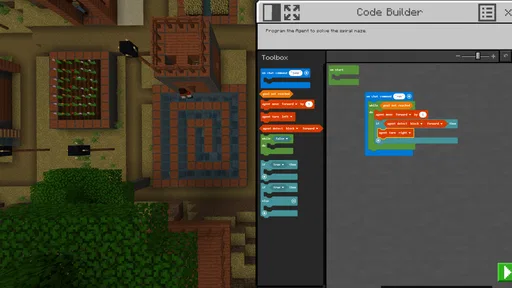
- Includes coding tools that make programming concepts more approachable.
- Works across multiple supported devices for flexible classroom use.
- Offers structured lessons and challenges for different learning goals.
Limitations of Minecraft Education Preview
- Preview builds may contain bugs, crashes, or unfinished features.
- Requires a compatible school or Microsoft 365 Education account in many cases.
- Some features depend on reliable internet access and account permissions.
- The interface can feel complex for younger students without guidance.
- Device performance may vary with large worlds or multiplayer activities.
Other Releases by Mojang
View All
Minecraft: Dream it, Build it!
Arcade4.3

Minecraft Education
Education4.1
Similar Picks in This Category
View All
Duolingo: Language Lessons
Duolingo4.7

Google Classroom
Google LLC2.8

Unacademy: Learn & Crack Exams
Unacademy3.2

Bible App for Kids
Life.Church4.4

Cake - Learn English & Korean
Cake Corp.4.7

Brainly: AI Homework Helper
Brainly4.5
Frequently Asked Questions
What is Minecraft Education Preview, and how is it different from the regular version of Minecraft?
Minecraft Education Preview is an early-access version of Minecraft Education Edition that lets users try upcoming features, lesson tools, and gameplay improvements before they are released officially. It is designed mainly for schools, educators, and eligible organizations, rather than general entertainment use. Because it is a preview build, some features may change, behave unexpectedly, or be removed in later updates.
Can anyone download and play Minecraft Education Preview?
Downloading Minecraft Education Preview does not necessarily mean that every player can access all of its content. The app generally requires a supported school or organizational Microsoft 365 account, and access may depend on an eligible license or trial. Students usually receive access through their school, while teachers and administrators may need to sign in with institutional credentials. Personal accounts may not provide full access.
What devices and operating systems support Minecraft Education Preview?
Minecraft Education Preview is available only on selected supported devices, so compatibility should be checked before downloading. Depending on the platform and release, it may support compatible Android, iPhone or iPad, Windows, Mac, and Chromebook devices, although preview availability can vary. Performance also depends on the device’s processor, memory, operating-system version, and available storage.
Is Minecraft Education Preview safe and appropriate for children?
Minecraft Education Preview is built around classroom learning and includes tools that can support collaboration, creativity, coding, problem-solving, and subject-based activities. However, parents and educators should still review account permissions, multiplayer settings, communication options, and school policies before allowing children to use it. Since this is a preview release, occasional bugs or unfinished features may affect the experience.
Does Minecraft Education Preview require an internet connection or cost money?
An internet connection is normally required for downloading the app, signing in, verifying access, receiving updates, and using many multiplayer or cloud-related features. Some activities may work offline after authentication, but functionality can be limited. Pricing and eligibility depend on the school, organization, trial status, and platform. Users should confirm licensing details with their institution before relying on the preview version.
